If you are using DND 5e, or a compatible system, then you can display modifiers that are automatically calculated from other numbers (e.g. the strength, dex, etc. modifiers). mod5e(value=fieldname[,show_symbol,dice=dice notation,dicelabel=dice label text]) value Required The name of a number() value to display the modifier for. show_symbol Optional If included, the number will be shown with ..
Author : thegoblin
Calculated fields follow most of the same rules as Digital Dice Rolling: Dice Notation but are defined with calc() instead of rollable(). calc([dice=]dicenotation,[dicelabel=label text,label=label text,compact,mods]) The differences between the two functions is that calc() fields do not have a dice rolling option, and if the mods keyword is used, it will not include a leading ..
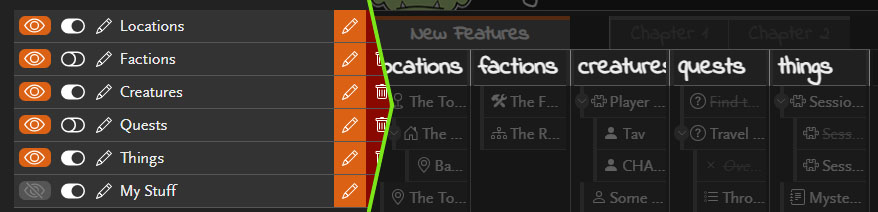
This update sees a change to the way column sharing and visibility works. Previously, changing a column’s visibility would make that change for both you and other users. Column visibility and sharing are now handled separately with a new explicit sharing toggle that controls which columns are shared with other users. When a column is ..
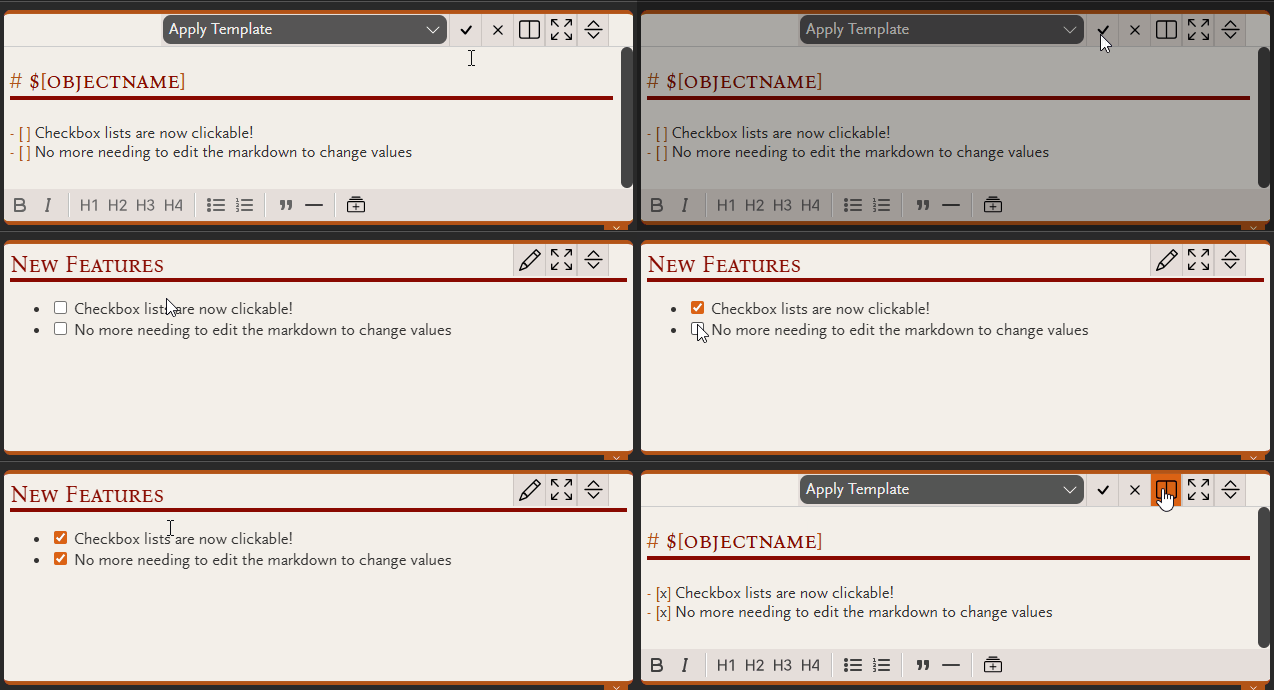
Those markdown checkbox lists that you needed to manually edit the markdown to change… Well now you can just click the..
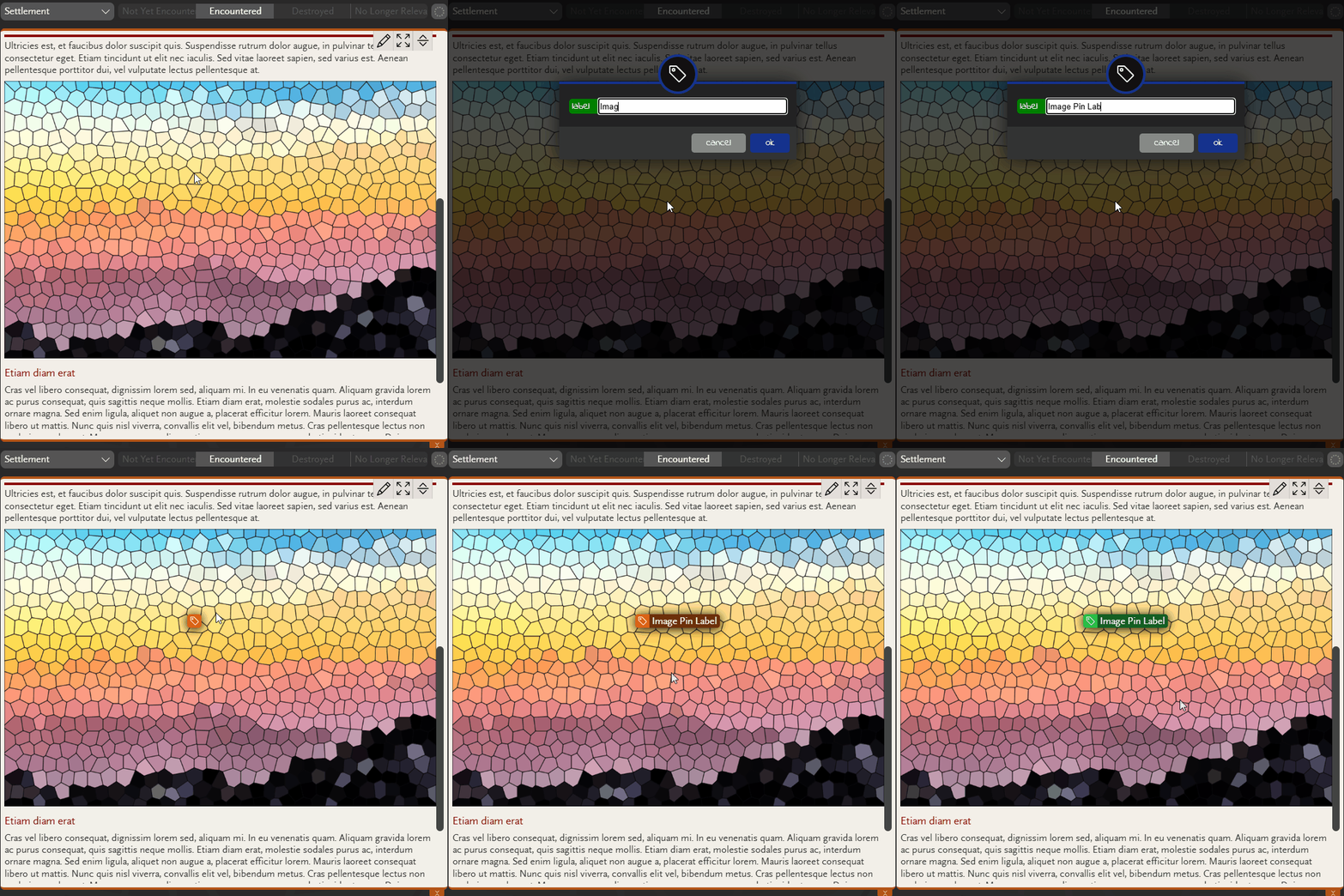
In addition to adding objects to images as pins, you can now add text labels to appear in the same way. Just right-click a pin-enabled image and select Add label to add your custom text. See Add pins to images for full details on image pins, including how to configure the markdown to enable pins ..
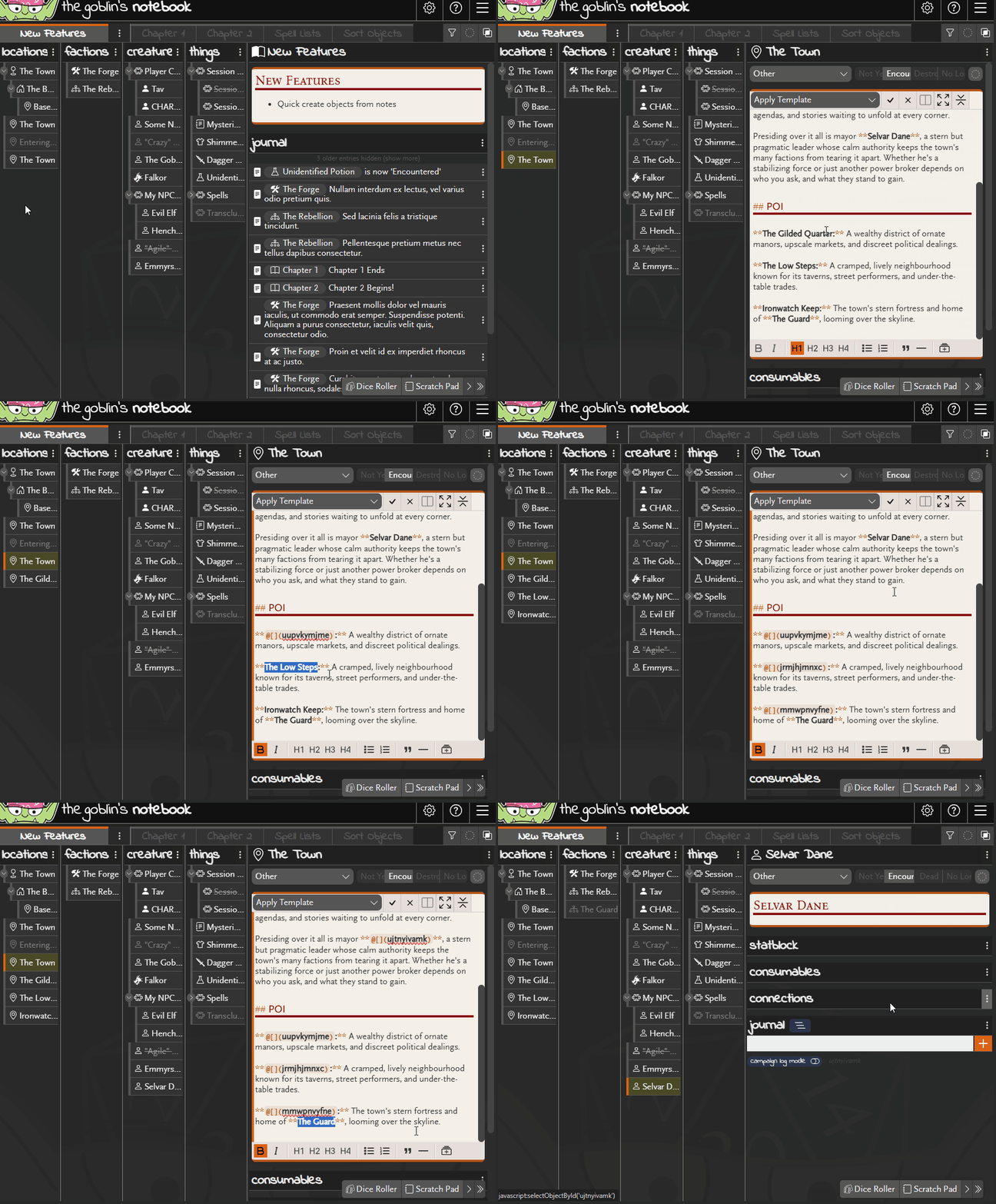
A new button has been added to the markdown editor toolbar to allow one-click creating objects while editing notes. Simply select the text you want to use as the object name and click the button. An object will be created and the selected text replaced with the markdown reference. By default, the object will be ..
See a visual map of your campaign objects with the Connection Map feature. Enable it in the Lab section of your campaign settings, and the option will appear alongside the Scratch Pad and Dice Roller in the Tool Belt in the bottom-right hand corner. The map panel pops up the same way preview windows do ..
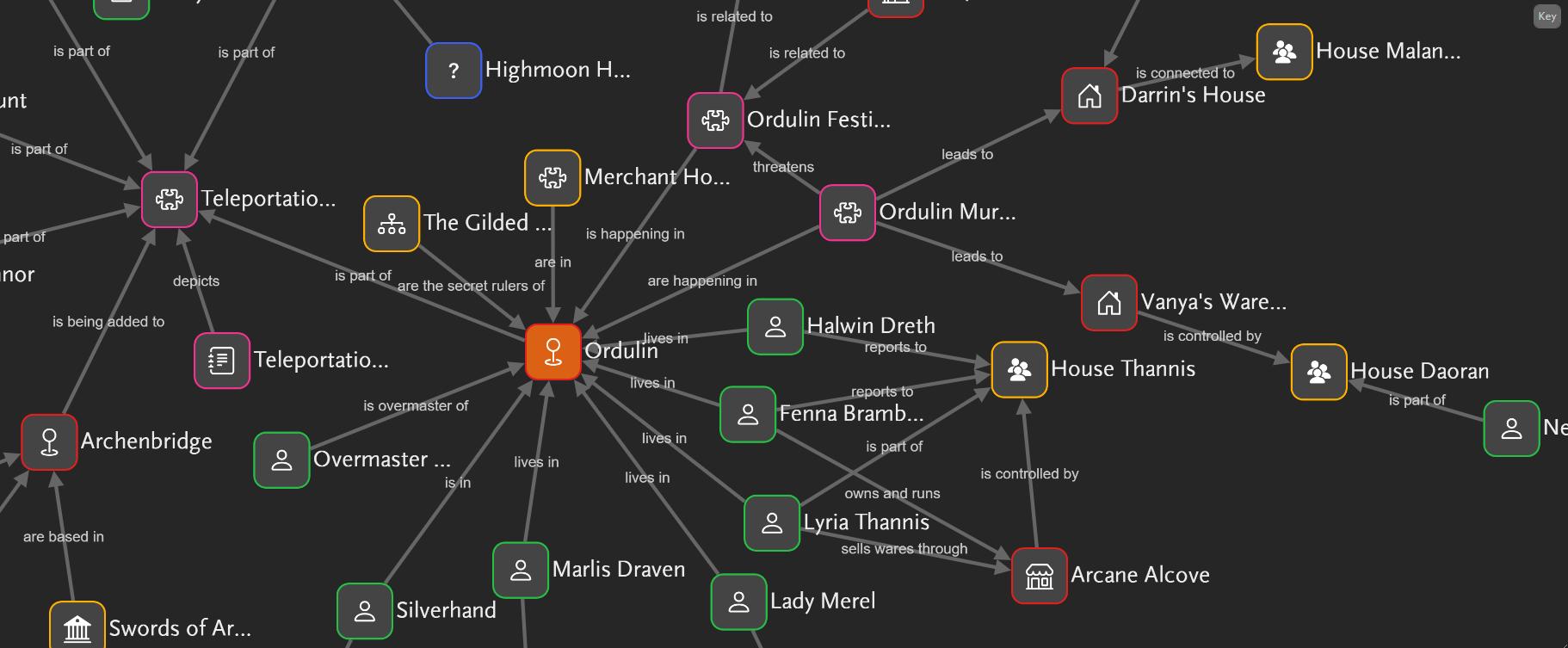
The goblin lab has been busy concocting a new tool: The Connection Map. This shiny new feature lets you visualise the links between your world’s objects. Enable it in the Lab section of your campaign settings, and the option will appear alongside the Scratch Pad and Dice Roller. Open the panel to see how your ..
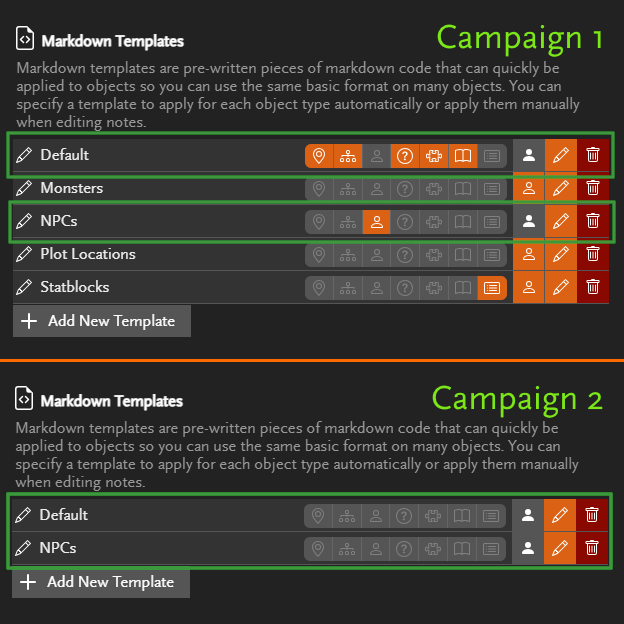
You can now make your markdown templates and snippets available in all your campaigns, no more copying them over one by one. Just click the button next to a template or snippet to toggle whether it’s available everywhere or only in the current..
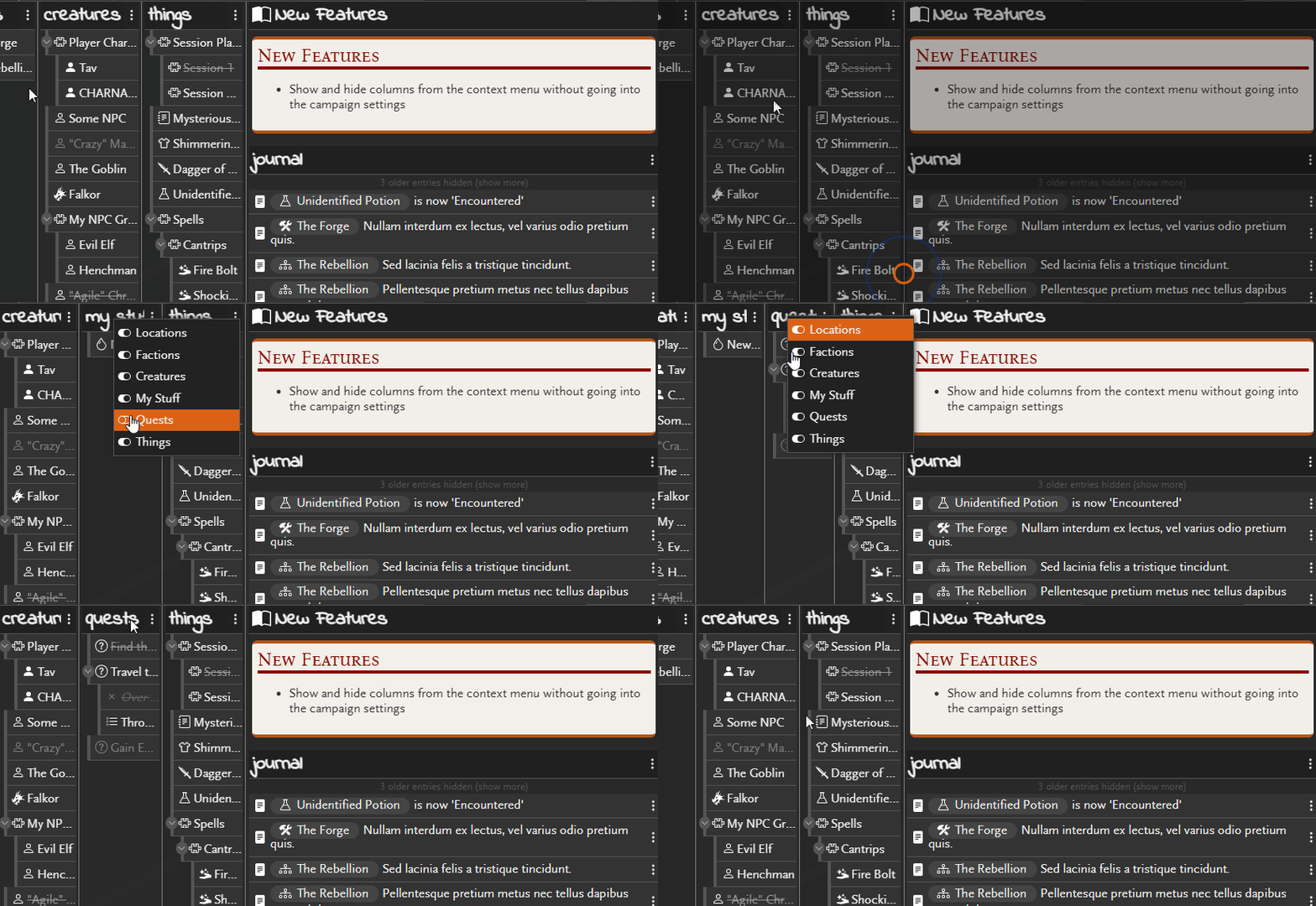
You can now show and hide columns without going into the campaign settings. Just right-click on any column header to see the options. This is the same as if you went into the campaign settings to show or hide colu..