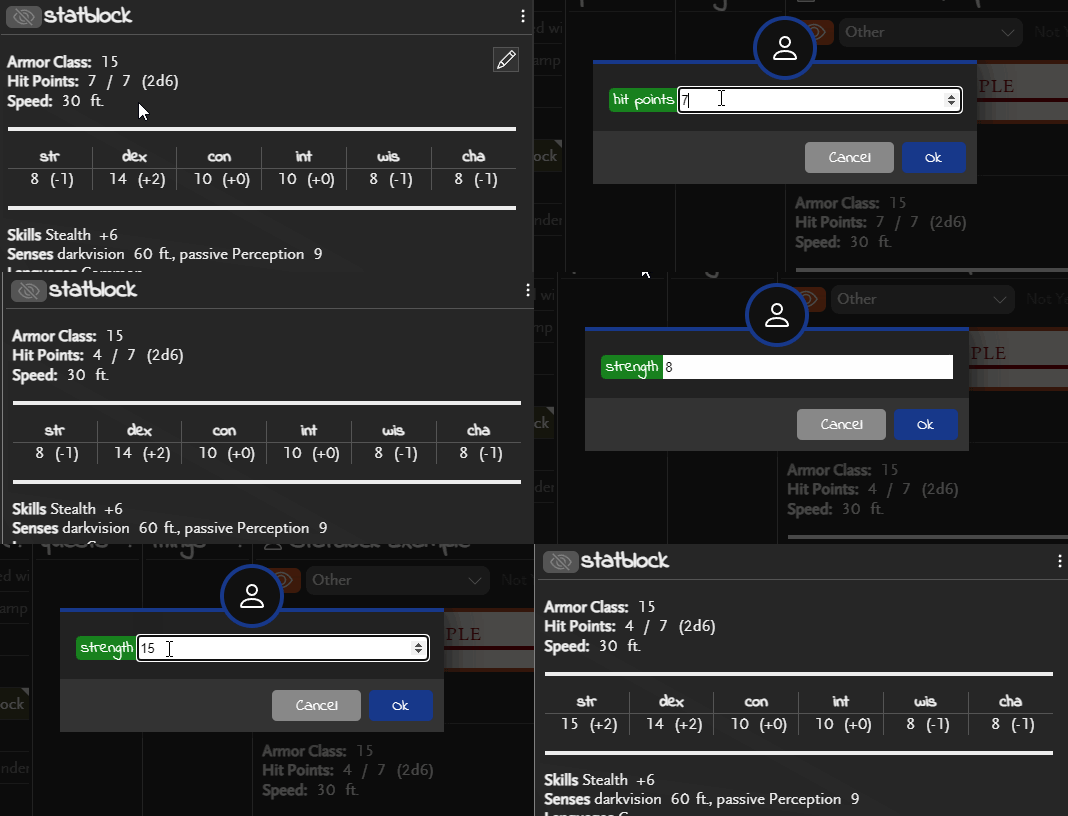
Create a number that is able to be clicked and changed when viewing the object. Fields can be used in the main object notes and in statblocks.
number(name=fieldname,value=n[,label=label text,show_symbol,dice=dice notation,dicelabel=dice label text])
name | Required | The field name of this number. Must be unique. |
value | Required | The current numeric value. This is changeable by clicking the number when viewing the statblock. |
label | Optional | The text to display in the popup when changing the value. |
show_symbol | Optional | If included, the number will be shown with a + symbol before it for any positive number (and 0) and a - for any negative number. |
dice | Optional | Makes this number able to roll digital dice, defined by the standard dice notation here. See Digital Dice Rolling: Dice Notation for more information. |
dicelabel | Optional | If dice is specified, specifies the title on the dice notification. |
Dice Rolling
Create a link to roll some digital die with the defined dice.
rollable([dice=]dicenotation,[dicelabel=label text,label=label text,compact,mods])
dice | Required | The dice notation for the roll. See below for more details. |
dicelabel | Optional | The text to display in the title bar of the roll notification. Will default to the dice notation if omitted. |
label | Optional | The text to show in the rendered markdown. Will default to the dice notation if omitted. |
compact | Optional | When a label is not specified, this will compact the dice notation by adding all the static values (often called modifiers) and replacing them with a single value. e.g. 1d20+3+2 becomes 1d20+5. |
mods | Optional | When a label is not specified, this will remove the dice portion of the notation display, leaving just the static values (modifiers). e.g. 1d20+5 becomes just |
See Digital Dice Rolling: Dice Notation.
Calculated Fields
Calculated fields follow most of the same rules as rollable() fields but are defined with calc() instead.
See Calculated Fields.
D&D 5e Modifiers
If you are using DND 5e, or a compatible system, then you can display modifiers that are automatically calculated from other numbers (e.g. the strength, dex, etc. modifiers).
mod5e(value=fieldname[,show_symbol,dice=dice notation,dicelabel=dice label text])
| value | Required | The name of a number() value to display the modifier for. |
show_symbol | Optional | If included, the number will be shown with a + symbol before it for any positive number (and 0). |
| dice | Optional | Makes this number able to roll digital dice, defined by the standard dice notation here. See Digital Dice Rolling: Dice Notation for more information. |
| dicelabel | Optional | If dice is specified, specifies the title on the dice notification. |
See D&D 5e Modifiers.