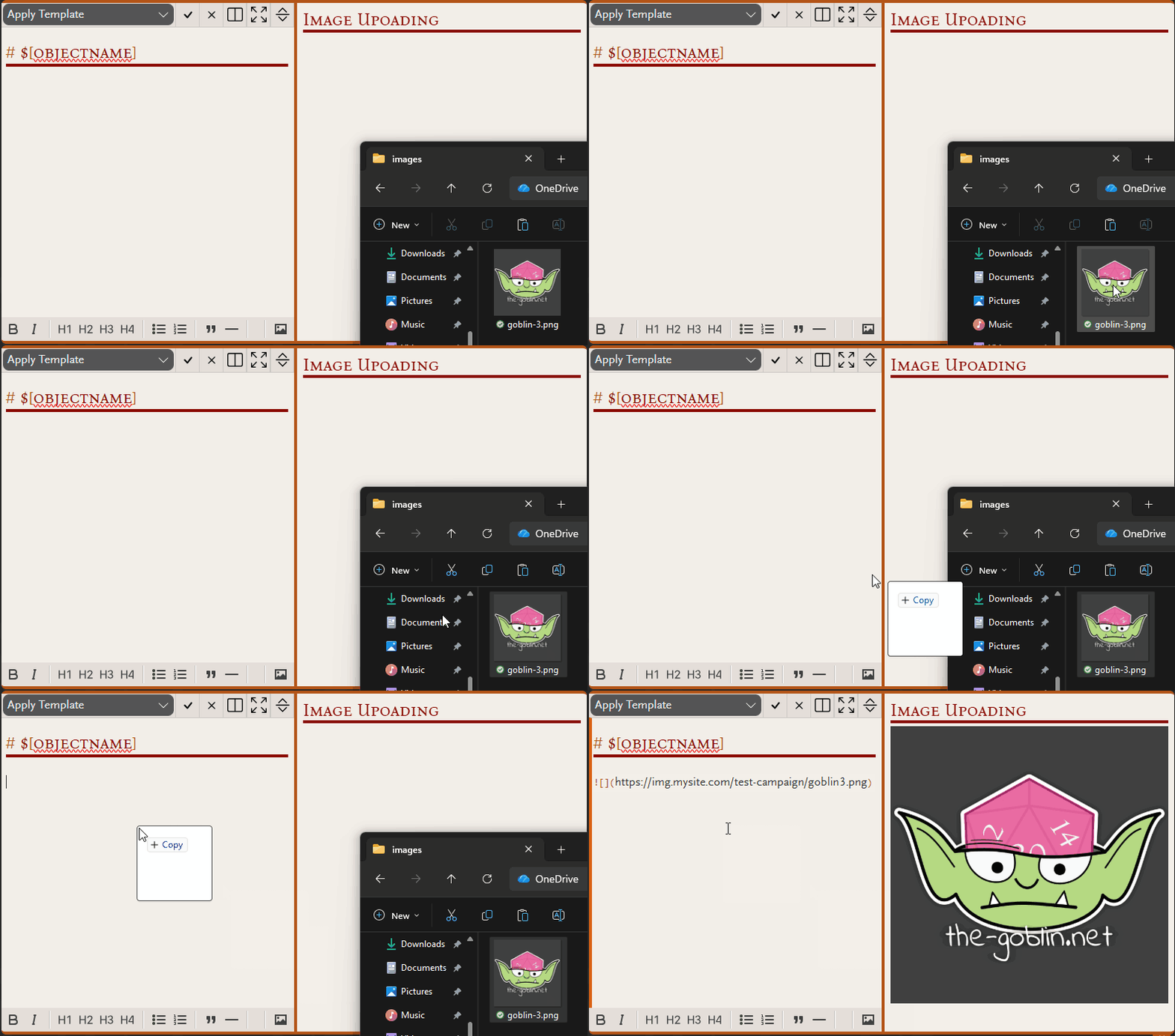
The Goblin Lab has been busy working on new shiny features for the notebook. Today’s update allows you to connect your own storage provider to upload and embed images directly in your markdown notes.
This lets you store images in your own cloud storage, giving you full control over access and costs. Supported providers include S3-compatible services and Azure Blob. This feature requires some familiarity with a supported cloud storage provider.
Once configured, simply drag and drop an image into the markdown editor to upload and insert it automatically.
To enable this feature and configure a storage provider, check the lab tab of the campaign settings.
More details can be found here.