How-To Guides
Learn about the features of The Notebook
FAQs
Check out the answers to some of the most frequently asked questions
Contact
Need to contact The Goblin about something?
Recent Updates
-
Update 12th December 2025 – Clickable checkboxes
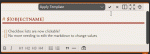
Those markdown checkbox lists that you needed to manually edit the markdown to change… Well now you can just click the..
Read more
-
Update 6th December 2025 – Image pin labels
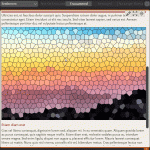
In addition to adding objects to images as pins, you can now add text labels to appear in the same way. Just right-click a pin-enabled image and select Add label to add your custom text. See Add pins to images for full details on image pins, including how to configure the markdown to enable pins ..
Read more
-
Update 27th November 2025 – Quick create objects from notes
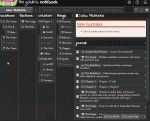
A new button has been added to the markdown editor toolbar to allow one-click creating objects while editing notes. Simply select the text you want to use as the object name and click the button. An object will be created and the selected text replaced with the markdown reference. By default, the object will be ..
Read more